
Extracts images from the search region.
The default search region is the entire document, however, it can be restricted by preceding page or boundary selectors.
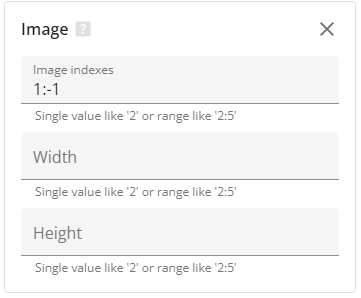
Properties:
-
Width:
If defined, only images that fit the width range will be extracted.
It is possible to define width as a range, e.g. 200pt:500pt, or use the only number to define the range from 0 to number.
Available measurement units are pt (default), mm, cm, and in. -
Height:
If defined, only images that fit the width range are being extracted.
It is possible to define width as a range eg 200pt:500pt or use the only number to define the range from 0 to number.
Available measurement units are pt (default), mm, cm, and in. -
Indexes:
You can additionally filter out images to define the index or range for extraction.
A negative number can be used to define the order from the end of the selection, so with indexes = -1 it returns the very last image only.
The default value is 1:-1 - all images.
Input data format:
pages
Output data format:
images