
I can set the size of the page to landscape but the content is still oriented left->right while I would like it to be bottom->top.
I want to produce a PDF with pages in landscape. While I can set the size of the page to landscape using document.setPageSize(PageSize.LETTER.rotate());, it this doesn't achieve what I want. The content is still oriented left->right while I would like it to be bottom->top.
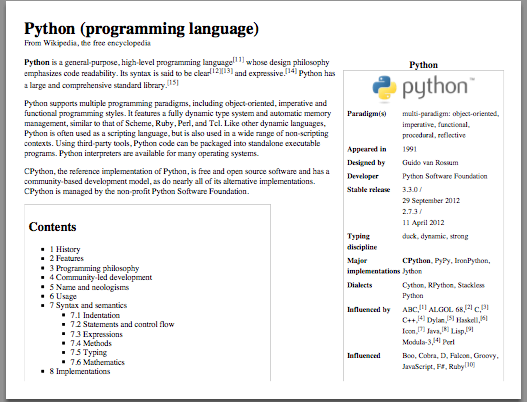
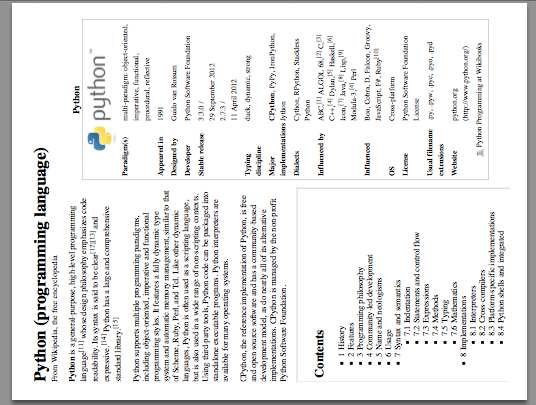
I have been able to achieve the desired output by opening the PDF after it has been created and rotating it using iText, but I would like a solution that lets me rotate it immediately with iText after adding content to it.
Posted on StackOverflow on Jan 29, 2013 by Natan Villaescusa
Excellent question. If I was able to upvote it twice, I would!
You can achieve what you want in iText 7 with the EventHandler interface:
protected class PageRotationEventHandler implements IEventHandler {
  protected PdfNumber rotation = PORTRAIT;
  public void setRotation(PdfNumber orientation) {
    this.rotation = orientation;
  }
  @Override
  public void handleEvent(Event event) {
    PdfDocumentEvent docEvent = (PdfDocumentEvent) event;
    docEvent.getPage().put(PdfName.Rotate, rotation);
  }
}
You should use this PageRotationEventHandler right after you've defined the writer:
PdfDocument pdfDoc = new PdfDocument(new PdfWriter(dest));
PageRotationEventHandler eventHandler = new PageRotationEventHandler();
pdfDoc.addEventHandler(PdfDocumentEvent.START_PAGE, eventHandler);
Note that I used SEASCAPE to get the orientation shown in your image.
The possible values for the rotation in iText 7 are the following:
-
INVERTEDPORTRAIT =
new PdfNumber(180); -
LANDSCAPE =
new PdfNumber(90); -
PORTRAIT =
new PdfNumber(0); -
SEASCAPE =
new PdfNumber(270);
Click How to rotate a page while creating a PDF document? | iText 5 PDF Development Guide if you want to see how to answer this question in iText 5.