
Is it possible to remove all text occurrences contained in a specified area (red color rectangle area) of a PDF document?
I want to remove what is in the red rectangle.
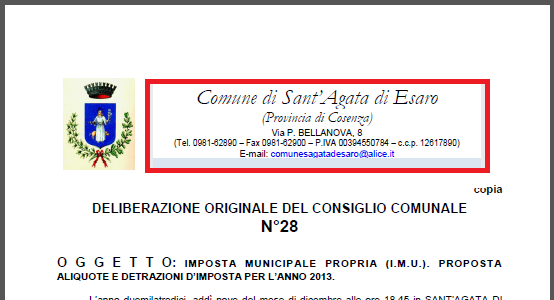
I want the text to be removed, not merely covered.
Posted on StackOverflow on jan 12, 2015 by amar
Please take a look at the RemoveContentInRectangle example.
Let's say we have the following page:
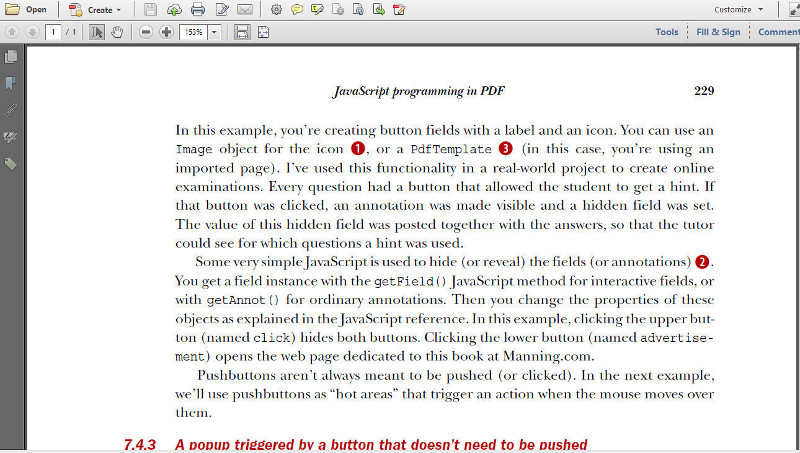
Now we want to remove all the text in the rectangle defined by the coordinates: llx = 97, lly = 405, urx = 480, ury = 445] (where ll stands for lower-left and ur stands for upper-right).
We can now use the following code:
protected void manipulatePdf(String dest) throws IOException {
  PdfDocument pdfDoc = new PdfDocument(new PdfReader(SRC), new PdfWriter(dest));

  List < PdfCleanUpLocation > cleanUpLocations = new ArrayList < PdfCleanUpLocation > ();

  // The arguments of the PdfCleanUpLocation constructor: the number of page to be cleaned up,
  // a Rectangle defining the area on the page we want to clean up,
  // a color which will be used while filling the cleaned area.
  PdfCleanUpLocation location = new PdfCleanUpLocation(1, new Rectangle(97, 405, 383, 40),
    ColorConstants.GRAY);
  cleanUpLocations.add(location);

  PdfCleaner.cleanUp(pdfDoc, cleanUpLocations);

  pdfDoc.close();
}
As you see, we define a list of PdfCleanUpLocation objects. To this list, we add a PdfCleanUpLocation passing the page number, a Rectangle defining the area we want to clean up, and a color that will show the area where content has been removed.
We then pass this list of PdfCleanUpLocations to the PdfCleanUpTool along with the PdfDocument instance. We invoke the cleanUp() method and when we close the PdfDocument instance, we get the following result:
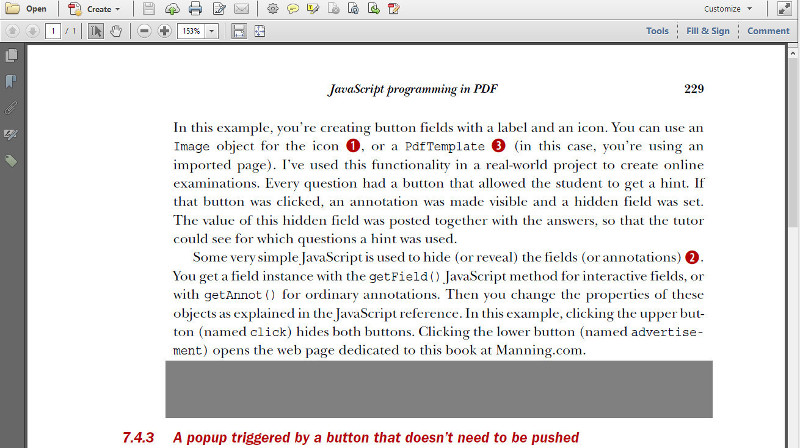
You can inspect this file: you will no longer be able to select any text in the gray area. All the text inside that rectangle has been removed.
Click How to remove text from a PDF? | iText 5 PDF Development Guide if you want to see how to answer this question in iText 5.