
I am using java and iText to create a pdf. Is it possible to add a map with a pointer on it so the user will know where the starting point is?
Posted on StackOverflow on Nov 6, 2014 by user2487493
What do you mean by "a map with a pointer so the user knows where the starting point is"? If you have a map in your PDF, you could add an annotation that looks like an arrow. Is that what you're looking for?
Since you didn't answer my counter-question added in comment, I'm providing two examples. If these are not what you're looking for, you really should clarify your question.
Example 1: add a custom shape as extra content on top of a map
This is demonstrated in the AddPointer example:
PdfContentByte canvas = writer.getDirectContent(); canvas.setColorStroke(BaseColor.RED); canvas.setLineWidth(3); canvas.moveTo(220, 330); canvas.lineTo(240, 370); canvas.arc(200, 350, 240, 390, 0, (float) 180); canvas.lineTo(220, 330); canvas.closePathStroke(); canvas.setColorFill(BaseColor.RED); canvas.circle(220, 370, 10); canvas.fill();
If we know the coordinates of the pointer, we can draw lines and curves that result in a the red pointer shown here (see the red pin near the Cambridge Innovation Center):
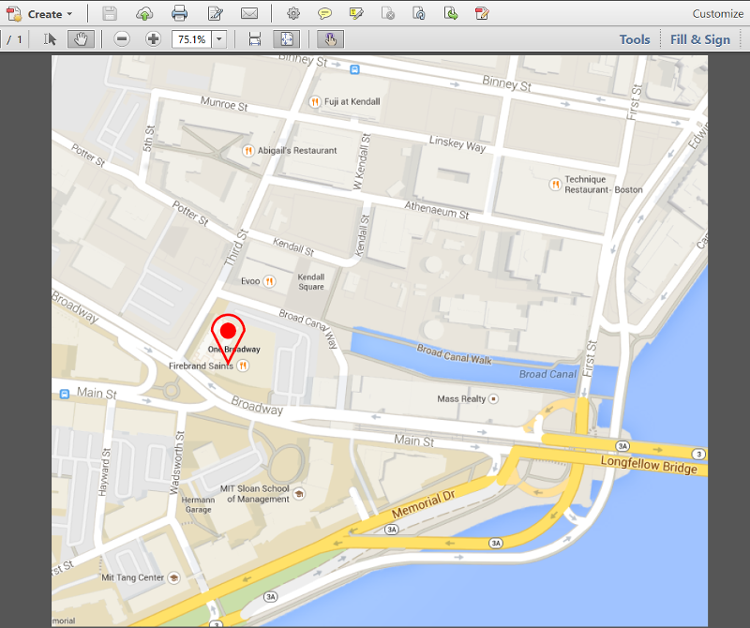
Map with a pin
Example 2: add a line annotation on top of a map
This is demonstrated in the AddPointerAnnotation example:
Rectangle rect = new Rectangle(220, 350, 475, 595); PdfAnnotation annotation = PdfAnnotation.createLine(writer, rect, "Cambridge Innovation Center", 225, 355, 470, 590); PdfArray le = new PdfArray(); le.add(new PdfName("OpenArrow")); le.add(new PdfName("None")); annotation.setTitle("You are here:"); annotation.setColor(BaseColor.RED); annotation.setFlags(PdfAnnotation.FLAGS_PRINT); annotation.setBorderStyle( new PdfBorderDictionary(5, PdfBorderDictionary.STYLE_SOLID)); annotation.put(new PdfName("LE"), le); annotation.put(new PdfName("IT"), new PdfName("LineArrow")); writer.addAnnotation(annotation);
The result is an annotation (which isn't part of the real content, but part of an interactive layer on top of the real content):
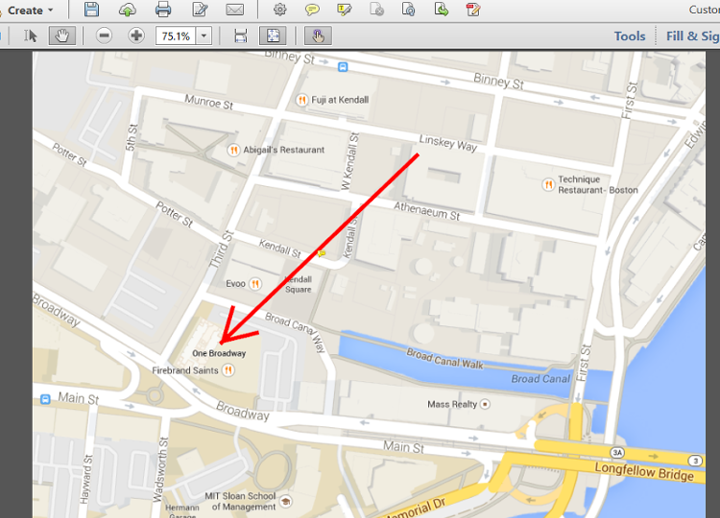
Map with an annotation
It is interactive in the sense that extra info is shown when the user clicks the annotation:
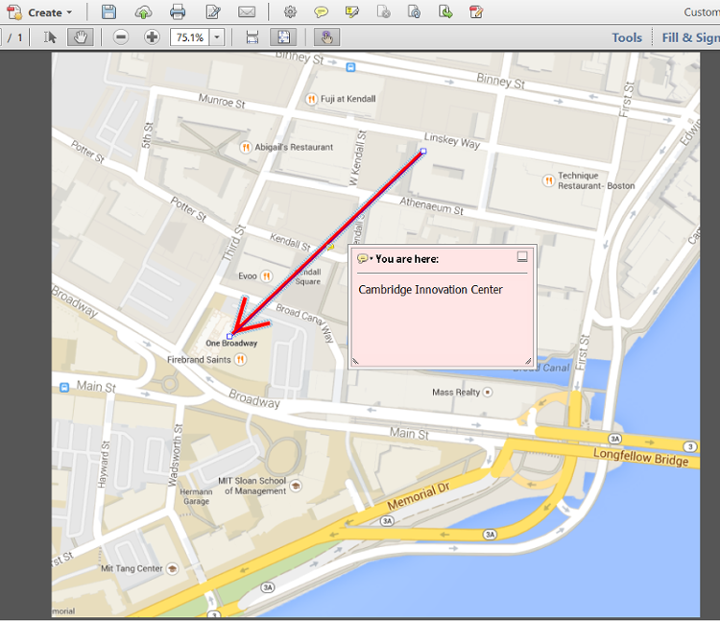
Map with an annotation that has been opened
Many other options are possible, but once again: your question wasn't entirely clear.